CMYK Printer Test Page
Check every ink cartridge individually — Cyan, Magenta, Yellow, and Black. Print or download instantly, no signup needed.
Test Page Preview
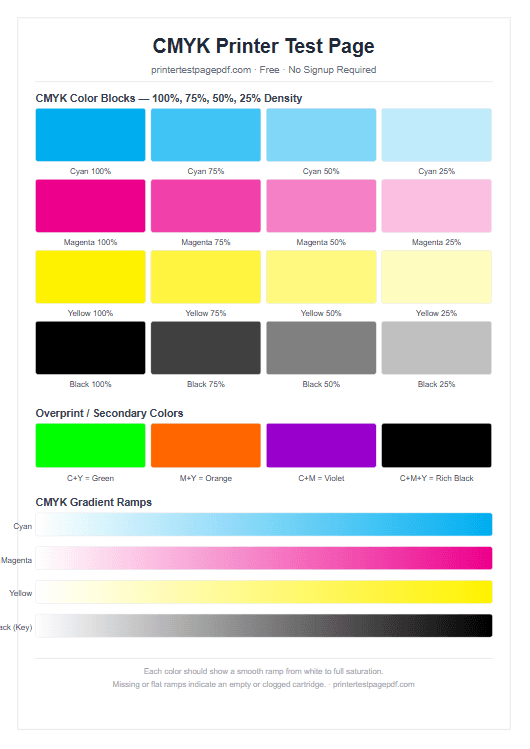
What this CMYK test checks
Cyan cartridge
Solid blocks and density steps reveal if cyan is flowing correctly from 100% down to 10%.
Magenta cartridge
Vivid magenta blocks should show no streaks or banding. Missing density steps indicate clogged nozzles.
Yellow cartridge
Yellow is the hardest to see — the gradient ramp makes it easier to spot missing ink.
Black / Key cartridge
Dense black blocks and fine text confirm the black ink or toner is healthy.
Overprint accuracy
C+Y, M+Y, and C+M mixes produce green, orange, and violet — mismatched mixes reveal alignment issues.
Gradient ramps
Each colour should fade smoothly from white to full saturation with no jumps or flat patches.
How to read your CMYK test results
| What you see | What it means | Fix |
|---|---|---|
| One colour missing completely | That cartridge is empty | Replace the cartridge |
| Horizontal streaks in one colour | Clogged nozzles | Run a print-head cleaning cycle |
| Gradient ramp is flat / no fade | Ink is not flowing | Shake cartridge, then clean heads |
| Overprint mix is wrong colour | Ink mixing issue or alignment | Run a printer alignment calibration |
| All colours faded | Multiple cartridges low | Check ink levels in printer utility |
Frequently Asked Questions
What is a CMYK printer test page?
A CMYK test page prints solid blocks, density steps, and gradient ramps for each of the four process inks — Cyan, Magenta, Yellow, and Black (Key) — so you can check each cartridge separately.
How do I know if my cyan cartridge is empty?
Print the CMYK test page. If the cyan column shows no colour or very faint output, the cyan cartridge is likely empty or the nozzles are clogged.
Why does the yellow block look invisible?
Yellow ink is very light on white paper. Hold the page at an angle to catch the light. If there is genuinely no yellow, run a nozzle check from your printer utility.
Can I use a CMYK test page on a laser printer?
Yes. Colour laser printers also use CMYK toner. The same test page works for both inkjet and laser printers.
Ready to test your CMYK cartridges?
Print instantly — no registration, no software needed.
About This CMYK Printer Test Page
CMYK stands for Cyan, Magenta, Yellow, and Key (Black) — the four process inks used in virtually every inkjet and colour laser printer. A CMYK printer test page prints solid blocks, density steps from 100% down to 10%, and gradient ramps for each colour channel so you can evaluate every cartridge individually rather than guessing which one is causing the problem.
When a CMYK colour test reveals a missing or degraded channel, the fix depends on the defect. A completely absent colour block almost always means an empty or disconnected cartridge. Horizontal streaks within a colour column point to clogged print-head nozzles — running the cleaning cycle from your printer utility usually resolves this within 1–3 attempts. A gradient ramp that looks flat (solid colour with no fade) suggests ink is not flowing, often caused by dried ink around the nozzle; a deeper cleaning cycle or soaking the nozzle plate in warm water can restore flow.
CMYK vs RGB: Which Test Should I Use?
Use this CMYK test page to check individual cartridge health and colour density. Use the full colour test page if you also want to check composite colors, gradients, and the RGB palette. Both pages are free and complement each other — run the CMYK test first to isolate the faulty cartridge, then the colour test to confirm the fix.