RGB Printer Test Page
Check red, green, and blue conversion, gradient smoothness, secondary colors, and neutral gray balance. Print or download the PDF instantly.
RGB Test Page Preview
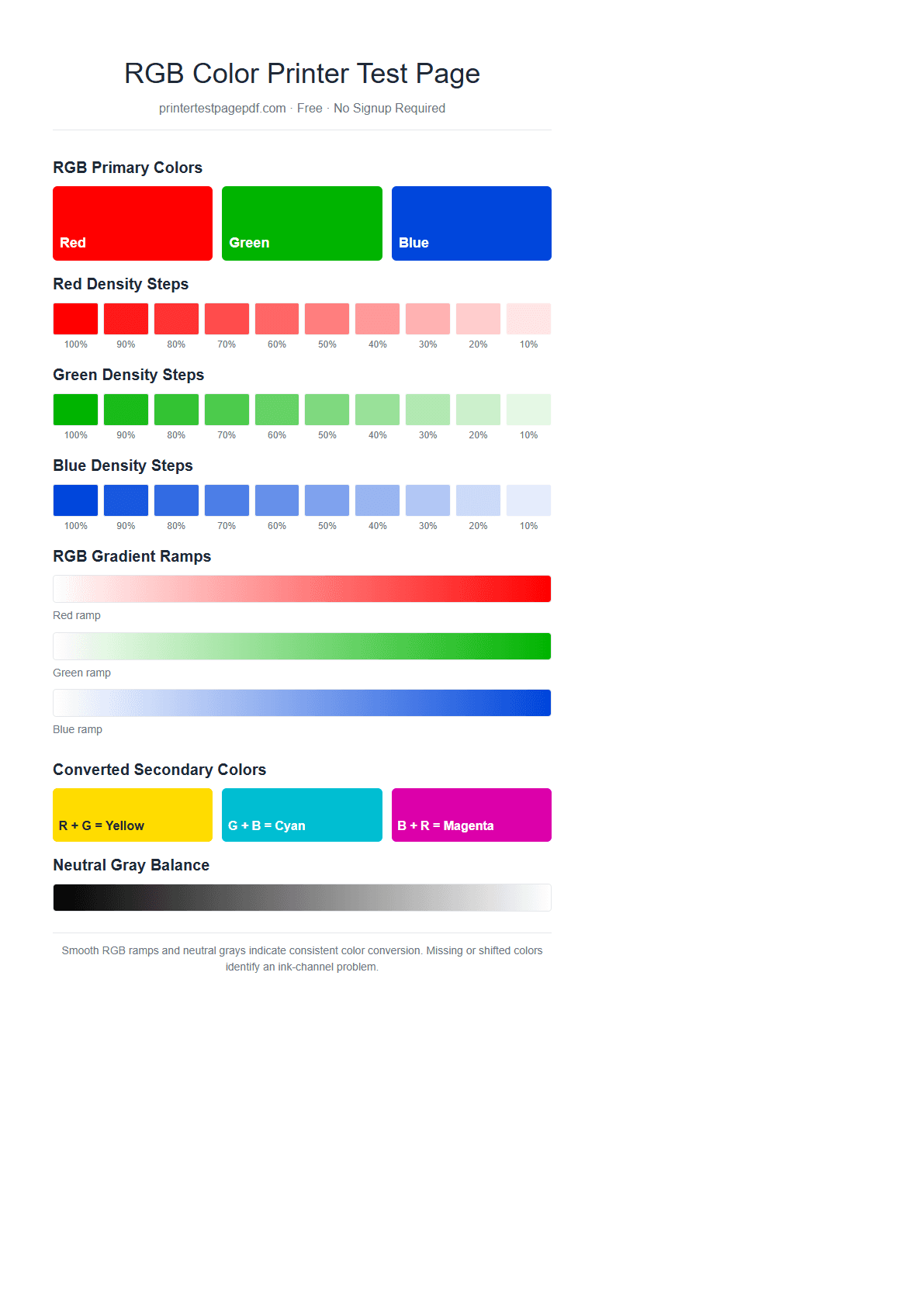
What this RGB print test checks
RGB primary colors
Solid red, green, and blue fields expose major color shifts or missing output.
Density separation
Ten steps per channel show whether light and dark tones remain visibly distinct.
Gradient smoothness
Continuous ramps reveal banding, abrupt tone changes, and inconsistent ink flow.
Secondary colors
Yellow, cyan, and magenta blocks check the driver's RGB-to-print conversion.
Neutral gray balance
A neutral grayscale exposes unwanted red, green, or blue color casts.
Digital photo workflow
The test approximates the RGB source data used by browsers, cameras, and photo apps.
RGB vs CMYK printer tests
| Test | Best for | What a failure suggests |
|---|---|---|
| RGB test | Photos, browser graphics, screen-to-print color differences | Driver, profile, paper setting, or mixed ink-channel problem |
| CMYK test | Checking each physical ink or toner channel separately | Empty cartridge, clogged nozzle, or weak toner channel |
If this RGB test shows a color shift, print the CMYK test page next. A clean CMYK result points toward software color management; a missing CMYK channel points toward ink, toner, or nozzle hardware.
Frequently asked questions
What does an RGB printer test page check?
It checks how your printer driver converts red, green, and blue screen colors into the CMYK inks or toners used on paper. Smooth density steps and gradients indicate consistent conversion; missing or shifted colors can reveal a weak ink channel or an incorrect color setting.
Do printers use RGB ink?
Most printers do not use RGB ink. Screens create colors with red, green, and blue light, while printers usually use cyan, magenta, yellow, and black ink. An RGB test is useful because photos and digital documents commonly reach the printer as RGB data before the driver converts them.
Should I use the RGB test or the CMYK test?
Use the RGB test when digital photos or screen colors print incorrectly. Use the CMYK test when you need to isolate a specific cyan, magenta, yellow, or black cartridge. Running both tests separates a conversion or profile problem from a physical ink-channel problem.
Why does the printed RGB test look different from my screen?
Screens emit light and paper reflects it, so an exact visual match is not expected. Large differences can also come from monitor brightness, printer profiles, paper type, draft mode, low ink, or disabled color management.