Nozzle Check & Print Head Test

Nozzle Check & Print Head Test Page

Print a fine CMYK pattern to spot clogged print-head nozzles in seconds. Free and instant — no signup needed.

Test Page Preview
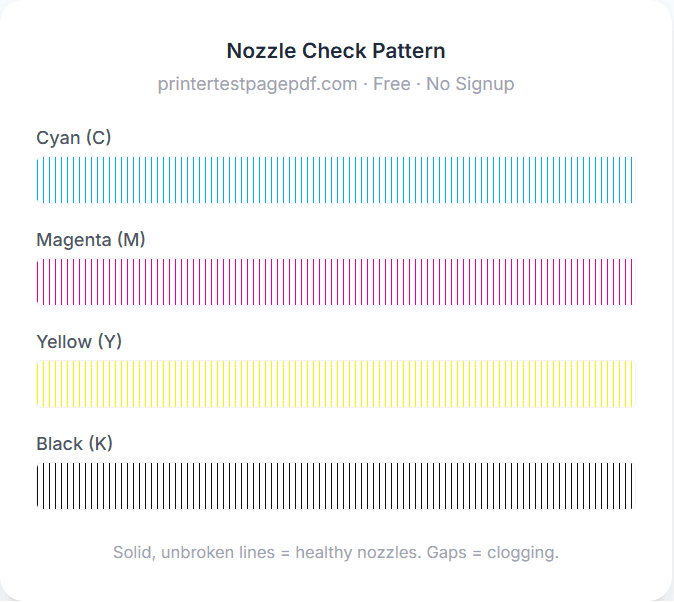
Nozzle Check Pattern

printertestpagepdf.com · Free · No Signup

Cyan (C)

Magenta (M)

Yellow (Y)

Black (K)

Solid, unbroken lines = healthy nozzles. Gaps = clogging.

How to run a nozzle check

1

Print the pattern

Click Print Test Page (or download the PDF) and print it at 100% scale on plain paper.

2

Inspect each colour

Look closely at the cyan, magenta, yellow, and black blocks for gaps or missing lines.

3

Clean if needed

If any lines are broken, run a head-cleaning cycle from your printer's utility.

4

Re-test

Print this page again to confirm the clog cleared. Repeat once or twice if necessary.

Common nozzle problems & fixes

Gaps or missing lines in one colour

Cause: The nozzles for that colour are clogged with dried ink.

Fix: Run a head-cleaning cycle, then reprint this nozzle check. Repeat 1–2 times if needed.

A whole colour is missing

Cause: The cartridge is empty, not seated correctly, or its nozzles are fully blocked.

Fix: Check ink levels and reseat the cartridge, then clean the head and re-test.

Clogs return after cleaning

Cause: Deep-dried ink, or the printer sat unused for a long time.

Fix: Leave the printer off overnight to soften the ink, then run one more cleaning cycle.

Lines are wavy or misaligned

Cause: The print head needs alignment, not cleaning.

Fix: Run our Alignment Test Page and your printer's head-alignment routine.

Frequently asked questions

What is a nozzle check?
A nozzle check prints a fine pattern of lines for each ink colour (cyan, magenta, yellow, and black). Each line is produced by a different print-head nozzle, so if any nozzles are clogged you'll see gaps or missing segments in the pattern. It's the fastest way to diagnose print-quality problems on an inkjet printer.
How do I read the nozzle-check pattern?
Look closely at each colour block. Every vertical line should be solid, evenly spaced, and unbroken. Gaps, faint lines, or completely missing segments indicate that one or more nozzles for that colour are clogged. If all four colours print cleanly, your print head is healthy.
My nozzle check has gaps — how do I fix it?
Run your printer's head-cleaning cycle from its maintenance menu or software utility, then print this nozzle-check page again. Most clogs clear after one or two cleaning cycles. If gaps remain after several cleanings, leave the printer off overnight so the cleaning fluid can soften dried ink, then try once more.
Why does the yellow pattern look faint?
Yellow ink is naturally the lightest colour and always looks faint on white paper — this is normal. Hold the page at an angle under good light to check the yellow lines for gaps. As long as the lines are continuous, your yellow nozzles are fine.
Does a nozzle check work on laser printers?
Nozzle checks are designed for inkjet printers, which spray ink through nozzles that can clog. Laser printers use toner and don't have nozzles, so they can't clog the same way. For a laser printer, use our Laser Printer Test instead to check for streaks, banding, and toner problems.